You tap the bin icon and the photo vanishes. But where does it go, and can anyone get it back? The answer depends on your phone, your apps and your backups.
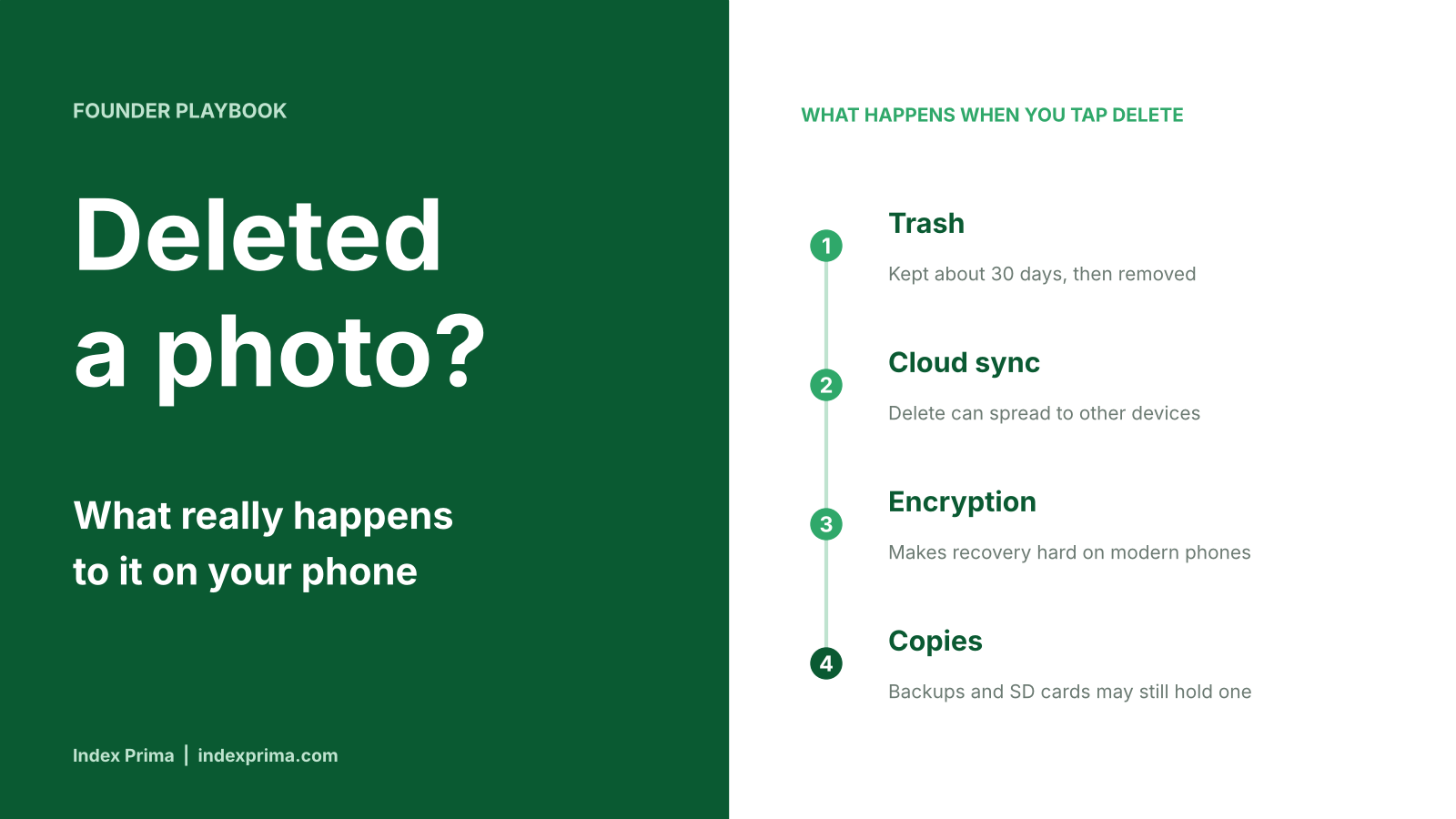
Deleting a photo is a process, not a single click. First your phone moves it to a trash folder. After about 30 days, the app removes it for good. If cloud backup is on, the delete can spread to your other devices. On modern phones, strong encryption makes it very hard to recover a photo once it is truly gone. Still, copies can hide in places you forget, such as a backup, an SD card, a shared album or a chat app.
Start with the trash. On an iPhone, a deleted photo goes into the Recently Deleted album. Apple says it stays there for 30 days and is then removed permanently. You can restore it any time before that. On iOS 16 and later, the album is locked behind Face ID or Touch ID by default, so a stranger who borrows your phone cannot browse it so easily.
Samsung’s Gallery app works in a similar way. Samsung’s support page says deleted photos and videos stay in the Recycle bin for 30 days before they are deleted for good. Google Photos has its own bin. Google’s help page now says items stay there for 30 days. Older guides, including a Samsung page, say 60 days for backed-up items. An Android Authority report from August 2026 says Google may be moving to a single 30-day rule, but it was not live at the time. The safe move is to check your own Photos app, and not to count on extra days.
Now the harder question. What happens on the phone’s storage when the trash empties? Here, many people have the wrong picture. A delete does not scrub the photo’s data right away. The phone marks that space as free to reuse, and the old data can stay in place until new data covers it. That is why recovery tools exist at all.
Modern phones add two big barriers. The first is encryption. iPhones encrypt data by default. According to one technical guide, on Android 7 and later, deleting a file also removes its encryption key, so the leftover data cannot be read. The second is a feature called TRIM, which has been in Android since version 4.3. It tells the storage chip to clear deleted data in the background, so the longer you wait, the lower the chance of recovery.
A factory reset goes further. Two guides say a reset destroys the keys that unlock your data. After that, recovery is usually not possible unless the photos were backed up somewhere else. One phone-trade-in company, which has a business interest in this topic, adds that a reset bypasses the Recently Deleted folder altogether. Its advice is simple: take five minutes to check your backup before you reset.
What about the apps that promise to bring photos back? Be careful. The same guide warns that many recovery apps only find cached thumbnails, which are tiny preview images, and sell them as your original photos. Some tools do work on SD cards and older phones, such as the free PC program PhotoRec. Lab services exist too, and one source puts their price at $300 to $1,500 with no guarantee. For most modern phones, a good backup is a far better plan than a recovery app.
Cloud backup changes the picture again. Google Photos is a good example. If you delete a photo in the Google Photos app, it also disappears from every device that has backup turned on. It is removed from albums, shared albums and some highlight videos. Downloaded copies on iPhones and iPads, and on some Android 11 and later phones, are removed from local storage too. Google also says its Takeout tool cannot bring back content that has been permanently deleted. Photos you shared elsewhere, in Drive, Gmail or YouTube, are not touched.
You can choose a narrower delete. In Google Photos, the “Delete from device” option removes the local copy and keeps the cloud copy. That is handy when your phone storage is full. If you want the reverse, Google says you must turn off backup on every device first, delete from the website, and then check the backup status of each item. Turning backup on again later may re-upload deleted items or remove device copies, so go slowly.
Apple’s iCloud Photos follows a similar rule. Delete a photo on one device and it leaves all the other devices signed in to the same Apple Account. To remove an item for good, you open Recently Deleted, choose the photo and confirm. Apple’s page lists “Delete from All Devices” as the choice, and says items removed this way cannot be recovered. There is a catch with iCloud Shared Photo Library. Anyone in that library can delete an item, and it then disappears for everyone. Only the person who added the photo can recover it or delete it permanently.
Next, check the places where photos hide. SD cards come first. Google notes that deleted photos may stay on a removable SD card, so you should use your gallery app to delete them there. Treat it as a separate storage box, with its own copy of your pictures.
Chat apps are another hiding place. WhatsApp can save the media you receive straight into your gallery. According to a how-to guide, you can stop this. On an iPhone, open WhatsApp Settings, tap Chats and turn off “Save to Photos.” On Android, open Settings, tap Chats and turn off “Media visibility.” You can still view shared media inside WhatsApp. If you delete a chat, do not assume the pictures already saved in your gallery are gone. Open the gallery and check.
Why does this matter in Africa? Android is the main system here. StatCounter’s figures for September 2026 show Android at about 61% of all web traffic in Africa, ahead of iOS at about 12%. That count covers all kinds of devices, not only phones, but it shows the picture. Many Android users rely on a Google account, a Samsung gallery or both, and each has its own trash and backup rules. Mobile data can be costly, so some people turn cloud backup off. In that case, a deleted photo may have no second copy.
Phones also change hands often. They get sold, passed on, repaired and shared. Before you sell or hand over a phone, back up what you want to keep. Then sign out of your accounts, remove the SD card and run a factory reset. On a modern, encrypted phone, that makes it very hard for the next owner to find your photos. Do not skip the backup step, because a reset cannot be undone.
For founders and small business owners, the stakes are higher. Staff phones often hold photos of customer IDs, receipts, contracts, delivery proof and screenshots of pitch decks. That is personal and business data. Data protection laws across Africa expect firms to look after personal data. So a simple phone policy helps. Decide where business photos should be stored. Turn off automatic saving from chat apps on work phones. Make sure people empty the trash on sensitive items, and wipe phones before they leave the company.
Here is a short routine to follow. First, find out whether your backup is on, and which account it uses. Second, before you delete, ask whether you are removing the photo from this phone only or from the cloud as well. Third, empty the trash only when you are sure, because that step cannot be undone. Fourth, for private photos, delete them from the trash, from shared albums and from chat apps. Fifth, use a locked or hidden folder for photos you want to keep private. Sixth, if you lose a photo by mistake, stop using the phone and check your cloud account from another device before you try any app.
Why it matters: Photos are among the most personal things on a phone. Knowing how delete really works lets you free space without losing memories, and lets you protect private images when you sell, repair or share a device. For founders and teams, it is also part of basic data care.
What to watch next: whether Google makes its 30-day trash rule official for all Google Photos users, how Apple and Samsung change their delete tools, and whether phone makers add clearer “delete everywhere” and “delete from this phone only” choices.
Sources: Google Photos Help on deleting photos and videos; Apple Support on deleting photos on iPhone and iPad; Android Authority on a possible Google Photos trash change; Samsung Support on the Gallery Recycle bin; Online Tech Tips on recovering deleted Android data; ecoATM blog on photos after a factory reset; Techloy on stopping WhatsApp from saving media; StatCounter mobile and desktop OS share in Africa, September 2026.
A note for startup founders: Don’t practice on investors. Practice on AI first. RaiseReady by Index Prima is an AI fundraising simulator for African founders: upload your pitch deck, get a readiness score and face a tough AI investor before the real meeting. Find this post, and every post we publish, at raiseready.indexprima.com.